 By
By 

If you’ve been in the Android modding scene for a while, the name XPrivacy (and its successor, XPrivacyLua) likely holds a special place in your heart. Back in the day, it was the ultimate power move—a way to completely strip invasive apps of their ability to harvest your contacts, call logs, and location.

But it’s 2026 now. Android has evolved, and so has the security landscape.
I’ve spent the last week trying to get a stable XPrivacy setup running on a Pixel 9 Pro running Android 15, and I’m going to share exactly how to do it. But I’m also going to share the "hard truth" I learned along the way: for 99% of users—especially those just looking to change their location on Android or protect basic privacy—this path is no longer worth the headache.
The Current State of XPrivacy and LSPosed
Before we dive into the "how-to", we need to address the elephant in the room. XPrivacyLua is officially unmaintained. The original developer, M66B, archived the project years ago. Furthermore, the official LSPosed Framework (the engine required to run XPrivacy) is also currently in an archived state.
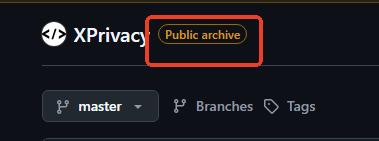
What does this mean for you? It means you are relying on community forks, "Canary" builds, and unverified patches to get this working on Android 15. You are essentially building a privacy fortress on a foundation that is no longer being inspected by the architects.
How to Set Up XPrivacyLua on Android 15
If you are determined to proceed—perhaps you need to feed a fake IMEI to a specific app or hide your clipboard data—here is the high-level roadmap of what is required today.
Step 1 Unlocking and Rooting
You cannot use XPrivacy without Root access. First, unlock your Bootloader (be aware this will wipe your device completely). Next, install KernelSU or Magisk. While Magisk is the classic choice, KernelSU is currently preferred for better detection evasion on newer kernels.
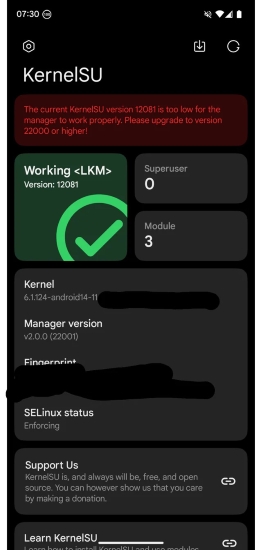
Step 2 The Injection Framework (Zygisk)
Modern Android privacy tools rely on Zygisk (Zygote + Magisk). You will need to enable Zygisk in your root manager settings.
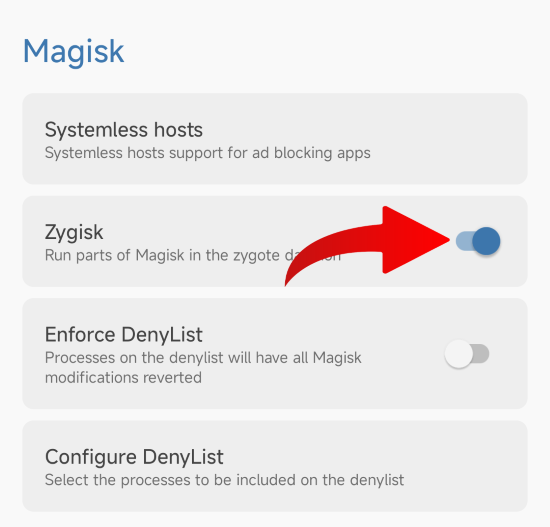
 Note:
Note:
Enabling Zygisk is a major "red flag" for banking apps. You will immediately fail the Play Integrity API checks.
Step 3 Installing LSPosed (The Bridge)
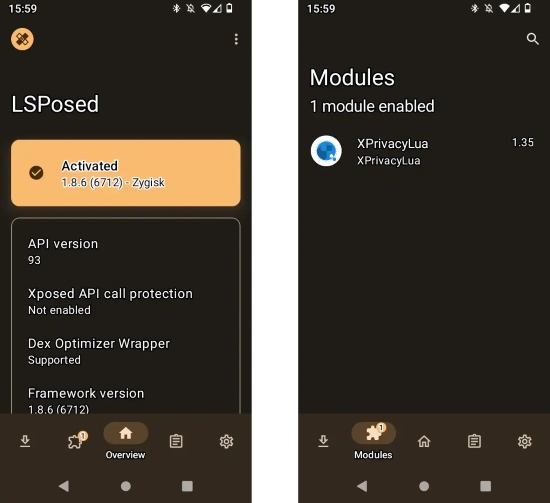
Since the official LSPosed is gone, you need to find a fork compatible with Android 15 (often called "JingMatrix"). Flash the LSPosed ZIP file in Magisk/KernelSU, reboot your device, and check your notifications to ensure the LSPosed service is running.
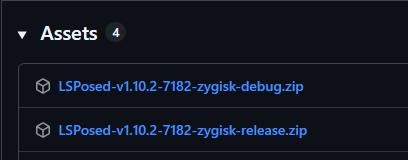
Step 4 Activating the XPrivacyLua Module
Download the XPrivacyLua APK (you may need a specific fork like XPL-EX for Android 14/15 support). Install the app and open your LSPosed Manager notification. From there, enable the module and check the specific apps you want to restrict (e.g., "System Framework"). Finally, reboot your device one last time to apply the changes.
Why XPrivacy is a Nightmare for Daily Use
After spending three hours setting this up, the experience on a modern device often falls apart quickly. You immediately enter a "Cat and Mouse" game where essential banking apps—like Wallet, Chase, or Revolut—detect the root and stop working. You are then forced to install additional fixes like Shamiko or Play Integrity Fix just to regain basic functionality, only for them to break again with the next Google update.
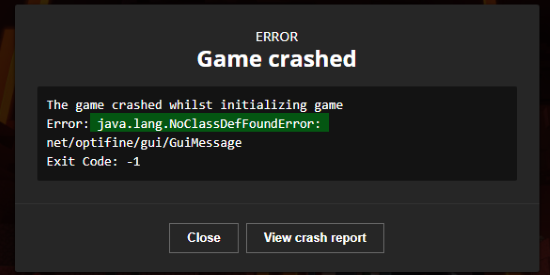
Beyond the maintenance headache, stability is a major issue. On Android 15, I experienced frequent "ClassNotFound" crashes when opening everyday apps like Google Maps and Netflix because the hooks used by XPrivacyLua are simply outdated for the new OS structure. Worse, if you are doing this to spoof your location in games like Pokémon GO or Monster Hunter Now, be warned: Niantic actively scans for "hooked" frameworks. Using XPrivacyLua is essentially a fast track to a permanent account ban.
What Are You Actually Trying to Achieve?
Most people I talk to aren't actually trying to fake their device serial number or deep system data. They usually have two simple goals: stopping apps from tracking their real location, or accessing geo-restricted content without moving. If that sounds like you, rooting your phone is like using a sledgehammer to crack a nut. You are destroying your device's security model to do something that can now be done much safer from the outside.
The Easy Ways (No Root Required)
For General Privacy: Native Android Settings
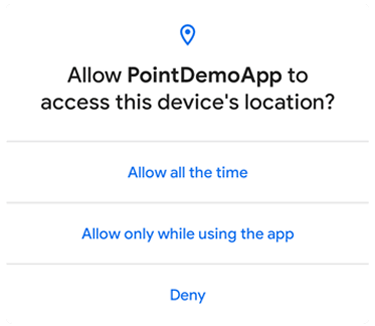
Android 15 has effectively integrated XPrivacy's best features directly into the OS, meaning you no longer need a hack to protect your location data. When an app asks for your position, you can now simply select "Approximate" instead of "Precise," feeding the app a fuzzy location within a few miles to protect your home address. Furthermore, the "Only this time" permission ensures apps cannot track you in the background once you close them.
For Location Freedom: PoKeep

If your goal is to actually change your location—whether to match with people in Tokyo on Tinder, catch regional Pokémon, or turn off Life360 location—PoKeep Location Changer is the modern standard. Unlike XPrivacy, which injects code into your system (triggering anti-cheat bans), PoKeep works externally as a developer tool, overriding the GPS signal at the system level without ever touching the OS kernel.


I prefer this method for location tasks because it completely eliminates the risk to your banking apps; since you don't need to root or unlock your bootloader, Google Wallet remains 100% functional. It is also far superior for gaming.
While XPrivacyLua only allows for static spoofing, PoKeep includes a 360° Joystick and GPX Routes, allowing you to simulate realistic walking, running, or driving movements that keep your account safe. Best of all, it is simple: install it on your PC or Mac, plug in your phone, and you are done—no flashing ZIPs or recovering from bootloops required.

Comparison: The "Old School" vs. The Modern Method
| Feature | XPrivacyLua (Root Method) | PoKeep (No-Root Method) |
|---|---|---|
| Primary Use | Deep Data Spoofing (IMEI, Contacts) | GPS/Location Spoofing & Movement |
| Installation | Extreme (2-3 Hours + Rooting) | Easy (5 Minutes) |
| Android 15 | Unstable / Crashing | Fully Supported |
| Banking Apps | Likely Broken / Requires Fixes | 100% Safe |
| Gaming Safety | High Risk (Bannable) | Safe (Simulates natural movement) |
Final Verdict
If you are a developer or a privacy absolutist who needs to feed an app an empty contact list or a fake SIM card serial number, XPrivacyLua (or its forks) is still the only tool powerful enough to do it—just be prepared for the maintenance burden.
However, if you are reading this because you want to change your GPS location for gaming, dating apps, or privacy from trackers, do not root your phone for this. It is overkill and risky. Tools like PoKeep offer a much smoother, safer experience that keeps your phone secure and your apps working.
Step 1. Download PoKeep on your computer.
Step 2. Connect your Android (or iOS) device via USB.

Step 3. Select "Teleport Mode" and click anywhere on the map to move instantly.
Sometimes, the old ways aren't the best ways. Save the rooting for the hobbyists and enjoy your digital freedom the easy way.
 Related Articles


 Leave Your Comment