 By
By 

Every Jurassic World Alive (JWA) player eventually hits a wall where the dinosaurs spawning in their neighborhood are no longer enough to build a competitive team. You might be hunting for the specific DNA needed to fuse an Apex hybrid or desperately searching for the newest Omega-tier creatures, only to find the same common dinosaurs appearing day after day. This happens because JWA restricts specific dinosaurs to geographical zones, making it impossible to "catch 'em all" by just walking around your block.

If you want to dominate the arena, you need to know exactly where the high-value targets are hiding. This guide will break down how the map works, reveal the absolute best coordinates for Jurassic World Alive, and show you how to safely hunt globally without triggering a soft ban.
Understanding JWA Map Zones & Spawn Dynamics
To understand why coordinates matter, you first need to understand how Ludia designs the Jurassic World Alive map. The real-world map is divided into four distinct "Local Areas" (Zones 1 through 4). Each zone has an exclusive pool of dinosaurs that will never naturally spawn in the other three zones.
If you need a Zone 3 exclusive creature but live in Zone 1, you have to travel to a different physical area. Alongside these local areas, the game also features specific "Parks" zones for green spaces and "Continental" spawns that appear everywhere. Furthermore, the game rotates its spawn pools based on your local time of day.
- Dawn & Day: Specific creatures thrive when the sun is up.
- Dusk & Night: Nocturnal predators and specific rare spawns take over the map.
- Anytime: A base pool of dinosaurs that can appear regardless of the clock.
Understanding this distribution means that simply finding a good location isn't enough. You also need to be there at the right time of day to maximize your darting sessions.
Top 5 Best Coordinates for Jurassic World Alive
Not all real-world locations translate to a great experience in AR games. The best spots offer a massive density of supply drops, constant strike towers, and overlapping spawn zones.
Here are the top global hotspots for farming DNA:
Pier 39, San Francisco, USA
Coordinates: 37.8086, -122.4098

Pier 39 is legendary in location-based games, and JWA is no exception. This area features an incredible density of supply drops clustered together, meaning you can refill your darts constantly without moving much. The high player activity also ensures that raid lobbies fill up almost instantly.
Central Park, New York City, USA
Coordinates: 40.7829, -73.9654

If you are hunting for Park-exclusive dinosaurs, there is no better place on earth than Central Park. The massive green space triggers the game's specific "Parks" spawn mechanics, giving you access to creatures that won't appear on standard city streets. It's a massive area, making it perfect for long hunting sessions.
Zaragoza, Spain
Coordinates: 41.6488, -0.8891

Zaragoza is a widely recognized hotspot due to a unique mapping quirk that placed hundreds of points of interest in a very tight space. For JWA players, this translates to an endless sea of supply drops and overlapping spawn points. It is arguably the most efficient place to farm standard DNA and coins quickly.
Shibuya, Tokyo, Japan
Coordinates: 35.6590, 139.7006

Tokyo's extreme urban density makes it a phenomenal location for strike events and finding Short-Range spawns. Because of the timezone difference, jumping to Tokyo can also give you early access to new weekly events and tournaments before they go live in Western countries.
Circular Quay, Sydney, Australia
Coordinates: -33.8618, 151.2106

Located right by the water, this spot is fantastic for gathering specific biome spawns and offers a beautiful, dense layout of supply drops. Like Tokyo, Sydney is great for players who want a jump-start on the week's new event calendar.
The Challenge: Cooldown Rules and Soft Bans
Finding the best locations is the easy part; getting there is where players run into trouble. If you try to jump straight from your house to Tokyo, the game's anti-cheat system will immediately flag your account.

This results in a "soft ban". When soft-banned, every dinosaur you try to dart will instantly flee, and supply drops will yield absolutely zero resources. The game enforces a strict cooldown rule based on the distance traveled. A short hop a few towns over might require a 2-minute wait, but an international jump requires a strict 2-hour cooldown before you can interact with anything on the map.
How to Safely Visit Best JWA Locations Without Traveling
To access these global hotspots without triggering bans, you need a reliable way to manage your GPS coordinates while respecting the game's cooldown mechanics. This is where the PoKeep Location Changer becomes an essential utility for dedicated players.
PoKeep allows you to safely fake your GPS on iOS and Android devices without needing to root or jailbreak your phone. It solves the biggest problem with AR spoofing by including a built-in Cooldown Timer calculator, ensuring you know exactly how long to wait before darting that Omega-tier T. Rex.
Instead of just teleporting wildly, you can use PoKeep's realistic features to simulate actual movement.
- 360° GPS Joystick: Navigate through Central Park naturally using your keyboard, maintaining realistic movement speeds to keep your account safe.
- Realistic Fluctuation Mode: This adds natural speed variations to mimic human walking, making your GPS activity nearly impossible to detect.
How to Change Location in JWA (Step-by-Step)
Modifying your location to reach these top coordinates is straightforward.
Step 1. Download and install PoKeep onto your computer (available for both Windows and Mac).

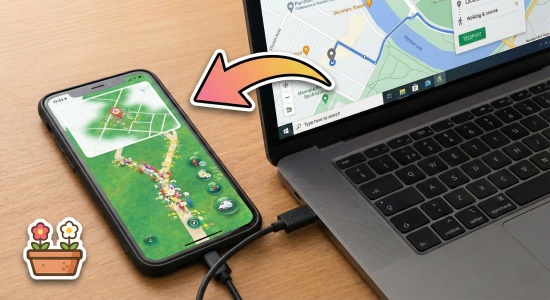
Step 2. Connect your iPhone or Android device to your computer via a USB cable or WiFi. Follow the on-screen prompts to ensure a successful connection.

Step 3. Select your desired movement mode (such as Jump Teleport or Joystick), enter the coordinates for your chosen hotspot, and click "Start modifying" to instantly change your GPS location.
FAQs about Best Coordinates for JWA
What is the rarest Dino in JW alive?
As of early 2026, the meta shifts frequently, but Omega-tier dinosaurs like the '93 Classic T. Rex, Eremocanis, and newly introduced Apex hybrids remain some of the hardest to find. Targeting specific local areas and participating in high-level raids at major hotspots is the best way to secure them.
Why aren't any dinosaurs spawning after I teleport to a new coordinate?
If you immediately jump to a new coordinate and find the map completely empty, you have likely triggered a soft ban. This also applies if every single dinosaur instantly flees the moment you attempt to dart it. The game's servers do this when they detect an impossible travel speed, such as moving from New York to Tokyo in two seconds.
To fix this issue, you must strictly follow the game's cooldown rules. Simply leave your game open and wait the required amount of time before spinning any supply drops. Once the time elapses, you can begin darting creatures at your newly selected location safely.
How long is the cooldown period when changing locations?
The cooldown time directly depends on how far you "traveled" from your last registered in-game action.
- Short distances: Moving just a few kilometers away usually triggers little to no cooldown penalty.
- Long distances: Traveling hundreds or thousands of kilometers across the globe will require waiting up to two hours before interacting with the game.
Always respect these timers to keep your account safe!
Can I get permanently banned for using spoofing tools in Jurassic World Alive?
Yes, spoofing your location strictly violates the game's Terms of Service and carries a real risk of being banned if you are caught. While the developers have made recent changes to make JWA more of a "couch game" with non-GPS map features, manipulating your coordinates still gives players an unfair advantage. You must be aware of the risks before using any location-altering software.
If you choose to change your location, always use a reputable tool that offers realistic movement simulation.
Will the same dinosaurs always spawn at these coordinates?
Not necessarily, as the game utilizes dynamic spawn mechanics to keep the map fresh. While specific locations constantly belong to designated Local Areas (Zones 1-4) or Parks, the exact dinosaurs you see will rotate frequently. You will never see the exact same map layout twice.
The spawn pool shifts dramatically based on the local time of day. If you don't see the specific rare DNA you are hunting for, try visiting the exact same coordinates during a different time cycle, such as Dusk or Night. Knowing these time cycles is just as important as knowing the coordinates.
 Related Articles



 Leave Your Comment