 By
By 

Not every call spoofing app does what you think it does.
If you are selling something on Craigslist or chatting with a dating match, you need a disposable secondary number that actually lets the other person text or call you back. If you want to pull a harmless prank on a friend, you need live voice pitch changes and background sound effects. If you are stuck on a terrible date, you don't even need an outbound call—you just need your phone to ring on cue so you have an excuse to walk out. And if you work from home, you need your office number to show up without getting flagged as spam.

There is also a major catch: old-school caller ID spoofers barely work anymore. Wireless carriers now verify numbers before connecting calls. Pick the wrong app, and your call gets slapped with a "Spam Likely" warning or sent straight to voicemail. Here is what still connects across current networks, why so many calls get blocked, what federal law actually says, and which app fits your exact situation.
1. Four Ways to Spoof or Mask Your Phone Number
Before spending money on credits or monthly subscriptions, make sure you choose the right type of tool. Most people searching for spoofing apps actually need one of four things:
Second Phone Number Apps (Best for Everyday Privacy)
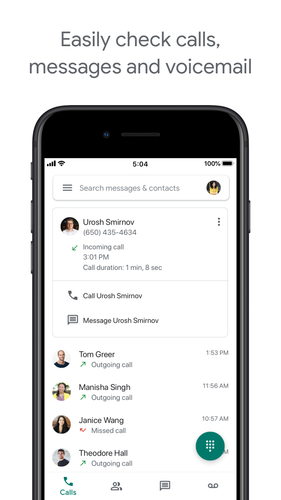
Apps like Google Voice, Hushed, Burner, and Dingtone lease you a real, working phone number. You can make calls, receive calls, and send texts without giving out your personal SIM number. Because it is a real line, the other person can actually reply.
Caller ID Spoofers (Best for Pranks & One-Off Tricks)
Services like SpoofCard route your call through their servers and slap whatever number you want on the recipient's screen. The catch? The other person cannot call you back at that number, and carrier spam filters often intercept them.
Fake Incoming Calls (Best for Escaping Awkward Spots)
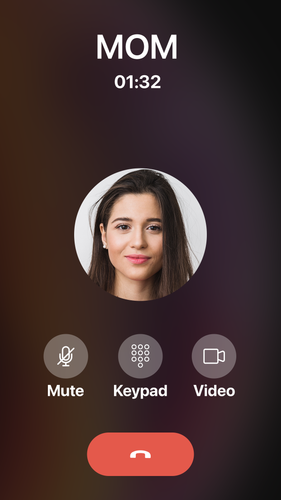
Apps like Fake Call Prank do not make real phone calls at all. They just trigger a fake incoming call screen on your phone with a custom name, photo, and ringtone. It is a free, foolproof escape hatch for bad dates or boring meetings.
Business Caller ID (Best for Work From Home)
Business VoIP tools let remote staff show their company's main line when calling clients. Because the number is officially registered to the business, it will not get flagged as spam.
2. Why Caller ID Spoofing & Fake Calls Get Blocked Today
A few years ago, you could open an app, punch in any phone number you wanted, and call someone. Their screen would show whatever number you entered. Scammers abused this constantly, and regular people used it for pranks.
That loophole is pretty much dead on major US carriers (AT&T, Verizon, and T-Mobile).
To cut down on robocall scams, the FCC forced carriers to roll out a verification framework called STIR/SHAKEN. In simple terms: every time a call travels across phone networks, the originating carrier attaches a digital "handshake" proving whether the caller actually owns that number.
-
Level A (Full Trust): The carrier knows who you are and verifies that you own the number. The call rings through with a green checkmark or normal caller ID.
-
Level B (Partial Trust): The carrier knows who you are, but cannot verify that you own the displayed number.
-
Level C (Zero Trust): The call came from an untrusted web gateway with zero proof of who owns the number.
When you use a generic spoofing app to display a random number, the call gets marked as Level C or completely unverified. Modern iPhones and Androids do not let those slide—the carrier will either slap "Spam Likely" across the screen or silently drop the call straight into voicemail. That is why simple spoofing apps feel unreliable today: the phone networks are actively intercepting them.
 What about dialing *67?
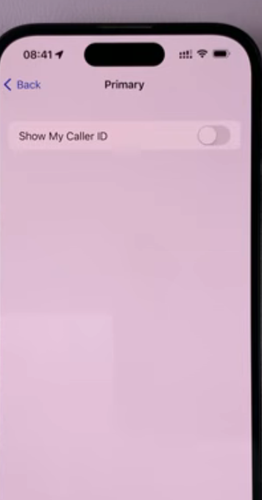
Dialing *67 before a number (or switching off "Show My Caller ID" in your phone settings) is not spoofing. It does not fake a number—it just asks your carrier to hide your number, showing "Private" or "No Caller ID". It is free, built into every phone, and 100% legal.
3. Is Call Spoofing Legal? What the FCC Actually Allows
The short answer is yes—call spoofing is legal in the United States, as long as your motive is honest.
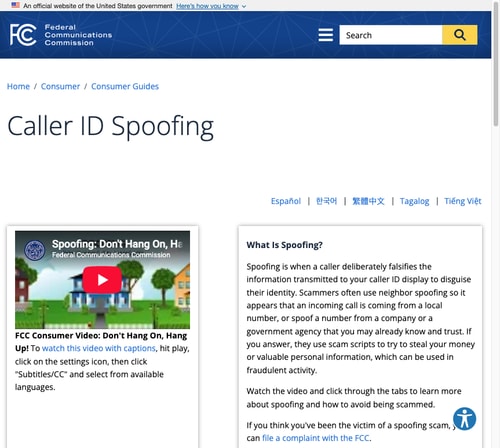
Under the FCC Truth in Caller ID Act, changing your caller ID only becomes a crime when you do it with the intent to defraud, cause harm, or steal something. Impersonating a bank, the IRS, or police to take someone's money carries federal fines up to $10,000 per call, plus potential criminal charges.
Legitimate privacy uses are completely fine under federal law. A doctor calling a patient from a personal mobile device can legally display the clinic's main switchboard. A remote employee can show their company's toll-free line. And an online seller can return calls about a classified listing without handing over a personal cell number. Harmless jokes between friends are also fine, as long as nobody loses money or feels harassed.
Two Legal Details to Watch:
Call recording laws: Several spoofing apps let you record conversations. While federal law only requires one person on the line to know a call is recorded ("one-party consent"), 12 states—including California, Florida, Illinois, Pennsylvania, and Massachusetts—require all-party consent. Recording someone in those states without warning them is illegal.
Voicemail security: Older voicemail systems unlocked automatically if the incoming caller ID matched the account number. Scammers have used spoofed numbers to sneak into private messages. Always protect your mobile voicemail by setting a strong 4-to-6 digit PIN with your carrier.
4. Quick Comparison: Which Call Spoofing App Fits You?
Here is a quick look at how the top apps handle calls, what the other person sees, and whether they can call you back:
| App / Service | How It Works | What Recipient Sees | Can They Call Back? | Delivery Reliability | Best For |
|---|---|---|---|---|---|
| Google Voice | Real virtual line | Your Google Voice number | Yes (Rings Google Voice) | High (Verified carrier line) | Free long-term personal & business privacy |
| SpoofCard | Outgoing call bridge | Custom or virtual number | No (Dials displayed owner) | Medium (Risk of Spam Likely flag) | Voice effects, straight-to-voicemail, pranks |
| Hushed | Disposable burner line | Your temporary number | Yes (Rings Hushed app) | High (Real leased carrier number) | Short-term privacy, dating apps, marketplaces |
| Burner | Organized second line | Your burner number | Yes (Rings Burner app) | High (Real leased carrier number) | Auto-replies, work/life separation |
| Dingtone | Ad-supported VoIP line | Your assigned virtual line | Yes (Rings Dingtone app) | Medium to High | Free calls & texts via ad credits |
| Fake Call Prank | Offline phone simulation | Fake incoming ring on your screen | N/A (No call is placed) | 100% (Runs offline on your device) | Polite exit from meetings and dates |
5. Top Call Spoofing Apps & Second-Line Tools Tested
We tested each app on standard iOS and Android devices to see how easy they are to set up, how calls sound, and whether numbers get flagged by modern carrier filters.
Google Voice: Best Free Pick for Everyday Privacy
Best for: Everyday privacy, two-way calling, and voicemail that just works.
If you live in the US and just want a clean secondary number for Craigslist, doctor forms, or online signups, Google Voice is hands-down the easiest choice. You do not have to fiddle with caller ID tricks—Google gives you an actual working phone number tied to your Google account.
When you call or text through the app, your Google Voice number shows up. When someone calls back, your phone rings normally over Wi-Fi or cellular data. Because Google is an authenticated telecom provider, calls carry full STIR/SHAKEN verification and do not get tossed into spam.
 Pros:
Pros:
- Completely free for standard calls within the US and Canada
- Excellent automated voicemail transcripts
- Works seamlessly across phone, tablet, and computer
 Cons:
Cons:
- You cannot spoof arbitrary numbers
- Requires an existing US phone number for setup
- Not available outside the US for personal accounts
SpoofCard for Live Voice Changing and Pranks
Best for: Live voice pitch changes, background sound effects, and straight-to-voicemail drops.
SpoofCard is the classic "spoofing" app people think of. When you make a call, you dial through their server, pick what number you want to display, and connect.

What makes SpoofCard stand out are its novelty tools for pranks and quick masking. You can adjust your voice pitch higher or lower in real time during a call, pipe in ambient background noise like bumper-to-bumper traffic or an airport terminal to sell your story, or route a call straight into someone's voicemail without ringing their handset. There is also an in-app call recorder, though you will want to check your local wiretapping consent laws before using it.
Pricing & Reality Check:
SpoofCard runs on a pay-as-you-go credit system (packages start around $9.95 for 45 credits). If you choose a random number to display, carrier spam filters may flag your call as "Spam Likely". Keep in mind: if the other person taps "call back", they will ring whoever actually owns that number, not your phone.
Hushed When You Need a Quick Burner Number
Best for: Dating apps, online marketplaces, and temporary projects.
Hushed lets you buy real local phone numbers in the US, Canada, and the UK, use them for a few days or weeks, and then throw them away.
This is ideal when you are meeting matches on Tinder, selling a car on Facebook Marketplace, or working on a short freelance gig. You get a full secondary dialer with calls, texts, and voicemail. When you are finished, tap "Delete Number" and that line vanishes completely—no spam and no awkward follow-up calls.
Pros:
- Truly disposable burner numbers
- No contract or extra SIM card required
- Flexible short-term plans starting around $3.99
Cons:
- Does not let you spoof arbitrary numbers
- Requires paid subscriptions for long-term use
- Some bank verification codes block virtual numbers
Burner: Polished Second Line for Work-Life Balance
Best for: Freelancers, side hustles, and keeping work off personal phones.
Burner is geared toward people who want a professional secondary line on their existing phone without carrying a second device.
It includes great productivity perks, i.e. you can schedule "Do Not Disturb" hours, set up auto-reply texts when you are off the clock, and mute notifications on weekends. When you are ready to switch numbers, burning the line takes two taps.
Pros:
- Clean, intuitive interface
- Automated text replies
- Reliable carrier delivery
- Easy line burning
Cons:
- Priced higher than ad-supported tools (plans start around $4.99/month after a 7-day trial)
- Limited to US and Canadian numbers
Dingtone (Free Calling If You Don't Mind Ads)
Best for: Budget users who want a cheap secondary number for international calls.
Dingtone gives you virtual phone numbers from dozens of countries that run over Wi-Fi or data. The main draw is its ad-supported model. You can earn call credits by watching videos, doing daily check-ins, or completing partner offers.

If you do not want to spend money on monthly plans and only need a number for occasional verifications or calls, Dingtone works well. Just expect plenty of video ads along the way.
Pros:
- Can be used for free by collecting ad credits
- Wide selection of international numbers
- Supports conference calls
Cons:
- Ad-heavy interface
- Call quality can dip on slower Wi-Fi connections
- Earning credits through offers takes time
Fake Call Prank to Step Out of Awkward Dates
Best for: Leaving awkward meetings, bad dates, or endless conversations.
Fake Call Prank does not place phone calls over cellular networks at all. Instead, it fakes an incoming call right on your own phone.

If you are stuck in a meeting that should have been an email or a date that is going nowhere, you discreetly open the app, set a 60-second timer, and set the caller name to "Boss" or "Babysitter". When your ringtone goes off, you have a completely believable, polite excuse to pack your bags and leave.
6. What to Do If Scammers Are Spoofing Your Number
If your phone suddenly blows up with angry voicemails or texts from strangers saying, "Why did you just call me?", you have probably been hit by neighbor spoofing.

Scammers pick random local numbers that share the same area code and first few digits as their targets, because people answer numbers that look local. They did not hack your phone or steal your SIM card—they just typed your number into an automated dialer for an afternoon.
First, do not panic. Scammers burn through numbers fast—once people stop picking up or reporting the calls, the robocaller moves on, usually within a few hours. If callbacks keep buzzing your phone, update your voicemail greeting with a quick note letting callers know your number was spoofed by a scammer.
To keep things secure, lock your voicemail with a carrier PIN so nobody can spoof into your private messages. Turn on free spam filters like AT&T ActiveArmor, Verizon Call Filter, or T-Mobile Scam Shield to block unverified calls automatically. If persistent harassing calls come from "No Caller ID" or "Restricted", an app like TrapCall routes them through toll-free channels to unmask who is really calling.
7. Call Spoofing vs. GPS Spoofing: Protecting Your Number and Location
Hiding your phone number solves only half the privacy puzzle.
A fake number or burner line keeps your voice and texts private, but it does nothing to hide your physical location. Your phone's GPS antenna, cellular towers, and nearby Wi-Fi networks constantly track where you actually are.
If you message an online seller or dating match using a secondary number, but your phone is connected to location-sharing tools like Find My, Life360, Snapchat Map, or dating apps, your home address is still visible. Take a look at our guide on how to change location on Find My to see how apps track you.
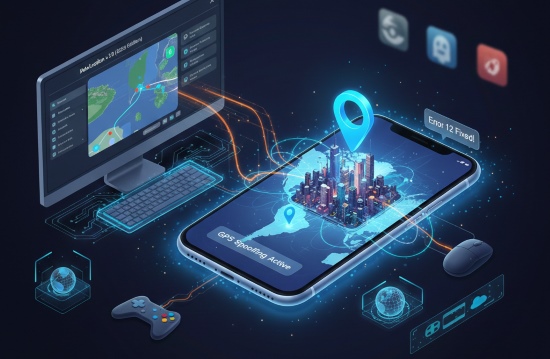
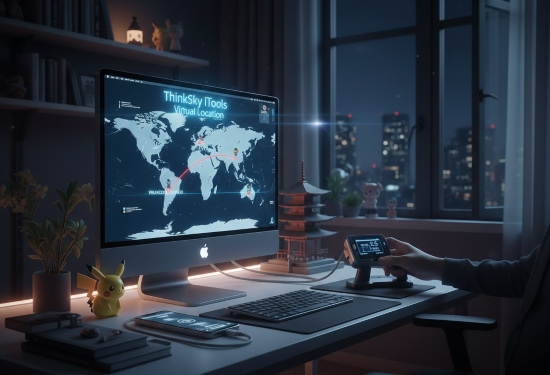
To keep your physical movements just as private as your phone number, you can pair a second-line app with system-level GPS control using PoKeep Location Changer. Rather than jailbreaking your iPhone or rooting your Android, PoKeep connects from your computer and updates the GPS coordinates reported to the operating system. Every app on your phone—from navigation to social networks—sees the virtual spot you pick.


How to Change Your GPS Location with PoKeep
Changing your physical location takes just three simple steps:
Step 1. Download and install PoKeep on your computer (Windows or Mac), then open the program.
Step 2. Connect your iPhone or Android phone to your computer with a USB cable or over Wi-Fi, and tap "Trust" if prompted.

Step 3. Choose Teleport Mode in the top-right corner, enter any city or address into the search bar, and click "Start modifying" to update your phone's GPS instantly.

8. FAQs About Call Spoofing Apps & Caller ID
What is the best app for caller ID spoofing?
For voice pitch changes and background sound effects, SpoofCard is the top choice. But if you need a number that people can actually call back and carriers won't flag as spam, second-line apps like Google Voice, Hushed, or Burner are much more reliable.
What is the difference between call spoofing and a second number app?
Call spoofing changes what shows up on someone's screen for a single call, but they cannot call you back on that number. A second number app gives you a real virtual phone line with full two-way calling and texting.
Why do carrier networks block or flag spoofed calls?
Major carriers check calls with STIR/SHAKEN verification. If an app sends a call using a number you don't own, the carrier flags it as unverified and slaps a Spam Likely warning on the recipient's screen or sends it directly to voicemail.
Is caller ID spoofing legal in the United States?
Yes, as long as you aren't trying to scam, harm, or steal from someone. Doctors calling from personal phones or sellers protecting their number on online marketplaces are completely legal. Fraudulent spoofing carries fines of up to $10,000 per violation.
What is the best app to escape awkward situations?
Fake Call Prank is built for this. It sets a timer on your phone so your ringtone and call screen go off on cue, giving you a smooth excuse to step away from a bad date or meeting without placing a real phone call.
Can someone spoof my phone number to call others?
Yes. Robocallers frequently use neighbor spoofing to display random numbers with local area codes. If this happens to your number, puzzled strangers may call or text you back. The spoofing usually stops within a few hours once scammers switch to a fresh batch of numbers.
Does hiding my phone number also hide my physical GPS location?
No. Changing your caller ID only masks your phone number. Apps like Find My, Life360, and dating apps track your hardware GPS chip and Wi-Fi networks. To hide your physical location, you need a GPS location changer like PoKeep.
Final Takeaway: Picking the Best Call Spoofing App
Protecting your phone privacy does not have to be complicated once you know what each tool actually does. If you want harmless entertainment with voice changers and background sound effects, SpoofCard gives you those novelty controls. If you want to protect your personal phone number on dating apps, Craigslist, or client calls, go with a dedicated second-line app like Google Voice, Hushed, or Burner so your calls actually connect and people can reach you back.
Just remember: pick the tool that matches your situation, check local recording laws if you plan to save audio, and make sure your physical GPS coordinates are protected whenever true privacy matters.
 Related Articles

 Leave Your Comment