 By
By 
If you were a mobile gamer in the late 2000s, you probably remember Parallel Kingdom. This groundbreaking GPS-based MMORPG turned real-world locations into fantasy realms filled with monsters, dungeons, and territorial battles. Although Parallel Kingdom officially shut down+ in 2016, its legacy lives on through fan revivals and successors like Orna RPG. Returning to these worlds brings nostalgia, but also the same location-based challenges.
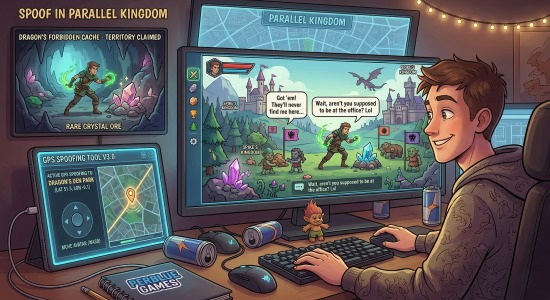
Since gameplay depends on real-world movement, it's not always convenient for everyone. That's why many players look for ways to spoof in Parallel Kingdom and enjoy the game with more flexibility.
Part 1. What Is Parallel Kingdom
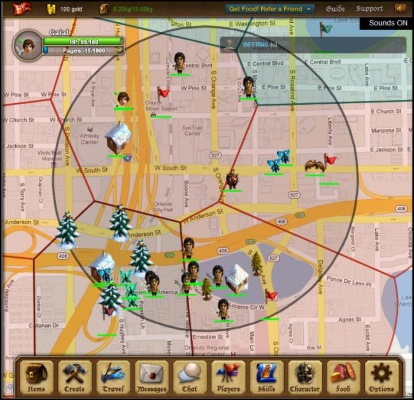
Parallel Kingdom was a groundbreaking location-based MMORPG developed by PerBlue. Launched in 2008 on iOS and Android, it was one of the first games to use GPS to turn real-world maps into a fantasy world filled with exploration and adventure. Long before Pokémon GO or Ingress popularized the genre, Parallel Kingdom let players interact with their surroundings through a high-fantasy lens.
However, as the mobile gaming industry evolved and server costs increased, PerBlue officially shut down Parallel Kingdom on November 1, 2016. Even so, it remains a beloved classic that helped shape modern location-based RPGs.
Part 2. The Physical Challenge of GPS MMOs
Location-based games are great for exploration, but they can also limit players who can't easily travel. If you live in a rural area, your map in Parallel Kingdom or its revivals may lack resources, monsters, or territories to explore. Extreme weather, whether harsh winters or intense summer heat, can also keep you indoors and slow your progress.
Because of these limitations, many players start looking for more flexible ways to explore the map, often choosing to spoof in Parallel Kingdom from home.
Part 3. How to Spoof in Parallel Kingdom and Other Location-Based Games
When you can't travel physically, using virtual navigation tools is a practical way to keep progressing. These tools let you change your device's GPS location, allowing your avatar to explore new areas while you stay in one place. Depending on your device and experience level, there are a few methods to spoof in Parallel Kingdom effectively.
Method 1: Use PoKeep Location Changer
For a simple and reliable solution, desktop tools offer the best experience. PoKeep Location Changer stands out as a powerful option for both iOS and Android, no jailbreaking or rooting required.
It's especially useful for RPGs, thanks to its 360-degree joystick that lets you move naturally around the map. You can collect resources, explore territories, and engage in battles just like real gameplay. Plus, the built-in cooldown timer helps you move at a safe, realistic pace.

PoKeep Location Changer
Teleport, explore, and conquer new areas instantly while staying safe with built-in cooldown features.
Here is how you can set it up to spoof Parallel Kingdom:
Step 1. Download and install PoKeep Location Changer on your Mac or Windows computer, then connect your mobile device using a USB cable.
Step 2. Launch the application and select the Joystick Mode from the main interface.

Step 3. Use your keyboard or on-screen controls to navigate your avatar through the game world at a realistic walking speed.
Method 2: Use Android Mock Locations
Android users have the advantage of accessing built-in developer tools to alter their GPS data. By utilizing open-source applications available on platforms like F-Droid, you can easily set up a virtual location. This method is entirely free but requires diving into your phone's system settings to configure properly.
Step 1. Enable Developer Options on your Android device by tapping the Build Number in your system settings several times.
Step 2. Download a reputable location simulation app, then return to Developer Options and assign it as your Mock location app.
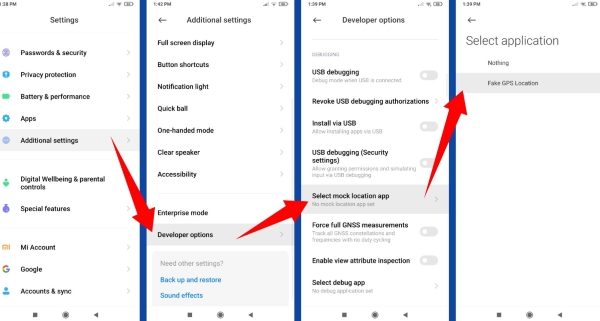
Step 3. Open the simulation app, select your desired coordinates, and activate the change before launching your game.
Method 3: Use Xcode for iOS Devices
Apple devices are generally more restrictive, but Mac users can leverage Apple's official development environment, Xcode, to simulate movement. This is a highly technical workaround that involves tethering your iPhone to your Mac and feeding it custom coordinate files.
Step 1. Connect your iPhone to your Mac and open a new project in the Xcode application.
Step 2. Navigate to the Features menu, select Location, and choose Custom Location. Then enter a coordinate to teleport.

Part 4. Crucial Warnings for Safely Spoof in Parallel Kingdom
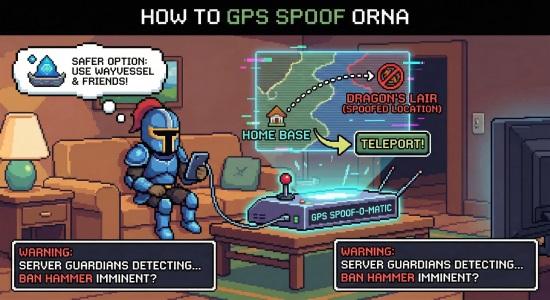
While virtual navigation tools offer incredible freedom, they must be used with extreme caution to protect your game accounts. Developers of location-based RPGs implement strict anti-cheat systems designed to flag unnatural movement patterns. Jumping across continents in seconds will almost certainly result in an immediate soft ban, rendering you unable to interact with the world or collect items.
To keep your account safe, always adhere to these guidelines:
- Respect realistic travel times when moving long distances across the map.
- Wait out the recommended cooldown periods before interacting with the game after a large geographical jump.
Patience is your best defense against detection algorithms.
Part 5. Final Thoughts
The revival of classic GPS RPG gameplay through Parallel Kingdom-style experiences like Parallel Kingdom Echoes offers an exciting chance to rebuild your virtual empire. Whether you explore the map naturally or choose to spoof in Parallel Kingdom to overcome real-world limitations, the fun and adventure remain the same.
 Related Articles

 Leave Your Comment