 By
By 

If you are trying to find a reliable way to play Pokemon Go without walking, you have probably come across various online tools promising instant teleportation. Many players recently have been searching for solutions like Easyspoof to help them navigate these virtual worlds from the comfort of their homes. However, a significant number of users report that the application simply will not install, especially on newer operating systems like iOS 17 and 18.
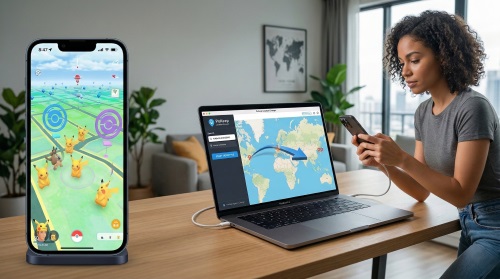
This common frustration leads to a lot of confusion within the gaming community. Players want to know why their downloads are stuck in endless loops and whether these third-party modifications are actually safe for their valuable game accounts. In this guide, we will explore why these Easyspoof installation issues occur, uncover the reality behind modded applications, and provide you with completely safe Easyspoof alternatives to change your GPS location without risking a ban.
Why Your Easyspoof Download is Stuck
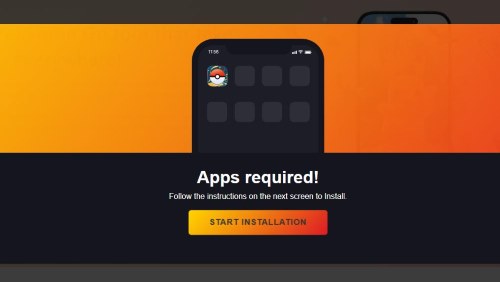
When attempting to download tools directly from websites like easyspoof com, many users encounter a frustrating roadblock known as "human verification". Instead of receiving the promised easyspoof apk or iOS file, you are redirected to a page that demands you download and play completely unrelated games—like Coin Master or TikTok—to "unlock" your download.

If you browse through any easyspoof reddit discussion, you will quickly see a clear consensus among veteran players. Users repeatedly report that even after completing these tedious verification tasks, the download never actually begins. This is a classic tactic designed to generate affiliate revenue for the website owner rather than providing a working piece of software.
At the end of the day, your digital privacy and device safety aren't worth the risk. If you're asking yourself, 'Is Easyspoof legit?' or 'Is the site actually safe?', the consensus among long-time players is a resounding no. Those 'human verification' loops that never end are a huge red flag. You should generally avoid any platform that holds a download hostage behind a requirement to install random third-party apps—it's rarely a sign of a working tool.
The End of the Modded App Era: iSpoofer, iPogo, and Easyspoof
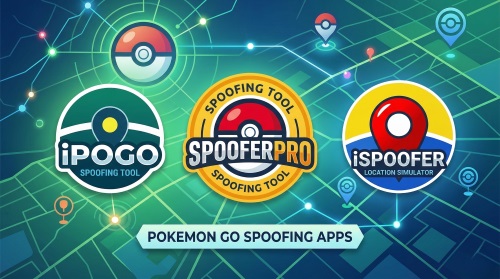
Even if you manage to find a working download link for a modified game client, you are putting your account in immediate danger. For years, players relied on hacked versions of official games to move around virtually. People frequently ask, "Does iSpoofer work anymore?" The short answer is no, and the era of using modded apps safely is largely over. While some players still experiment with options like SpooferPro for iOS or iPogo for Android—which offer advanced in-game features for those willing to take the risk—the reality is that game developers have implemented highly sophisticated anti-cheat systems.
These systems can instantly detect when you are logging in from an unauthorized, third-party application. Using a "free" Pokemon Go spoofer that modifies the original game code will almost certainly trigger a 7-day strike or a permanent ban within a matter of days. To keep your years of progress safe, it is much smarter to move away from altered game files and transition to global GPS overriding methods instead.
3 Pokemon Go Spoofing Methods Outperform Easyspoof
The safest way to change your location is to modify your phone's global GPS coordinates while using the official, unmodified game application downloaded directly from the App Store or Google Play Store. Here are three reliable methods to achieve this.
1 Professional Desktop-Tethered Location Changers (PoKeep)
The most secure and user-friendly method involves using dedicated desktop software that communicates with your smartphone. Programs like PoKeep Location Changer allow you to fake your GPS on Android and iOS without needing to jailbreak or root your device. Because the software changes the GPS signal at the system level, the official game app cannot detect that you are using a location modifier.


This method provides advanced features specifically designed for gaming safety.
- Built-in Cooldown Timer: Calculates safe waiting times between distant jumps to prevent soft bans.
- Bluetooth Connection: Allows you to connect wirelessly and spoof safely without downloading cracked games.
- 360° GPS Joystick: Lets you simulate realistic walking speeds and natural movement patterns.
2 Hardware GPS Spoofing Dongles
If you prefer not to use a computer, hardware dongles like iTools BT are another relatively safe alternative. These are physical Bluetooth devices that you purchase and carry with you. They connect to your phone and override the internal GPS chip with their own customizable coordinates.

While effective and safe since they allow you to use official applications, they come with a few drawbacks. They are often quite expensive, require shipping times, and you must remember to keep an extra physical device charged whenever you want to play.
3 Using an Older Backup Device
For players looking for an Easyspoof Android alternative who possess technical skills, utilizing an older, secondary Android device is a viable path. By rooting an older Android phone and using frameworks like Smali Patcher, you can successfully hide mock locations from game servers.
However, this method is highly technical and carries the risk of "bricking" your phone if done incorrectly. It is best reserved for a spare device rather than your primary daily smartphone.
Step-by-Step: Teleporting Safely to Catch Rare Pokémon
If you choose the recommended route of using a desktop tethering tool like PoKeep, the process is incredibly straightforward and keeps your account secure.
Step 1. Download and install the location changing software onto your Windows or Mac computer, then launch the program.

Step 2. Connect your iPhone or Android device to the computer using a USB cable or via the supported WiFi/Bluetooth connection methods, following the on-screen prompts to setup the connection.

Step 3. Select the "Teleport Mode" from the main menu, enter your desired destination into the map's search bar, and click the button to instantly move your device's GPS to that exact coordinate.
FAQs about Easyspoof
Is Easyspoof safe to use?
No, Easyspoof is generally considered unsafe. Most users report that the website is a "human verification" scam designed to trick you into downloading unrelated apps without ever providing a working spoofer. Additionally, because it is a modified version of the game, using it puts your account at an extremely high risk of being banned by Niantic.
Do I need to jailbreak my iPhone to use Easyspoof?
The website claims you can install it without a jailbreak, but in reality, the installation process usually fails or gets stuck in a verification loop. If you want to spoof on iOS without a jailbreak, it is much safer to use a desktop-tethered tool like PoKeep or a hardware Bluetooth dongle.
Will using Easyspoof get my Pokémon GO account banned?
Yes, there is a very high probability of a ban. Niantic’s anti-cheat system specifically targets modified game clients. Players using modded apps often receive a "First Strike" or a 7-day ban almost immediately after logging in, regardless of how carefully they play.
Does Easyspoof work on iOS 17 or iOS 18?
Current user feedback indicates that Easyspoof does not work on iOS 17.7 or newer versions. Most "free" mobile-only spoofers struggle to stay compatible with Apple's latest security updates, which is why desktop-based solutions are currently the only reliable option for modern iPhones.
Is there a free version of Easyspoof?
While the site advertises a free download, you often end up "paying" with your time and data by completing endless surveys and app downloads that lead nowhere. If you are looking for a legitimate trial, tools like PoKeep offer a free trial version that lets you test the core location-changing features before committing.
 Related Articles


 Leave Your Comment