 By
By 

Quick Verdict
The Pokémon GO Explorer Gadget is a built-in auto-catcher that can automatically attempt Pokémon catches and spin PokéStops without requiring a separate physical accessory.
Who It's For
This guide is for Trainers who want to get and use the Explorer Gadget, understand its daily limits, fix common problems, or compare it with Pokémon GO Plus+.
Key Takeaways
- No extra hardware: Explorer Gadget is built directly into Pokémon GO and can work while the game is closed or not actively being used.
- Requirements and limits: You need to be at least Trainer Level 20, have rollout access, and stay within the Gadget’s daily catch and spin capacity.
- Best for routine catching: Use it for passive exploration, but switch to manual catching for rare, valuable, or new Pokédex Pokémon.
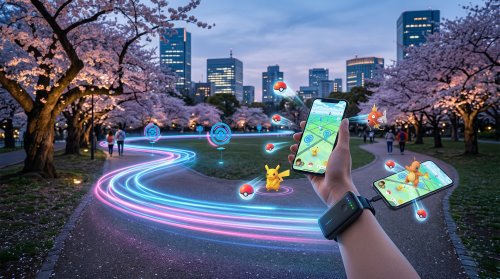
The Pokémon GO Explorer Gadget brings a major auto-catching feature directly into the game. Instead of pairing a separate Pokémon GO Plus or Pokémon GO Plus+ accessory, eligible Trainers can activate the Explorer Gadget and let Pokémon GO automatically attempt catches and spin nearby PokéStops while the game is not actively open.
Some Trainers do not have the Gadget yet, daily limits can differ between accounts, and early real-world testing has produced inconsistent background behavior.
What Is the Explorer Gadget in Pokémon GO?
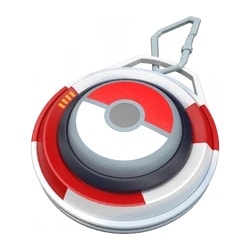
The Explorer Gadget is an in-game auto-catching and auto-spinning feature. Once activated, it can attempt to catch nearby Pokémon by automatically throwing Poké Balls and can spin nearby PokéStops while Pokémon GO is closed or otherwise not actively being used.
The key difference is that the Explorer Gadget is software built into Pokémon GO. You do not need to purchase, charge, pair, or carry a Pokémon GO Plus-style accessory just to access its basic automation.
You still need to explore, however. Pokémon GO specifically notes that Trainers must continue moving through the world while carrying their device for Explorer Gadget to operate fully.
What Can the Pokémon GO Explorer Gadget Do?
The Explorer Gadget currently focuses on two repetitive activities:
- Automatically attempt to catch eligible nearby Pokémon.
- Automatically spin nearby PokéStops.
When you reopen Pokémon GO, the game can display a summary showing Pokémon caught, the number of catches, and PokéStops spun during the session. Pokémon caught by the Explorer Gadget are separated in that summary and sorted from newest to oldest.
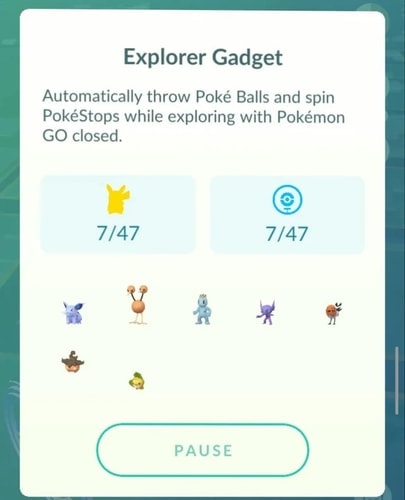
This makes the Gadget particularly useful when walking, commuting, running errands, or moving through an area where you do not want to constantly look at the screen.
What Can't the Explorer Gadget Catch?
The Explorer Gadget does not automatically attempt every Pokémon it detects.
One major limitation is Pokédex registration. Pokémon that have never been registered in your Pokédex are among the Pokémon it will not normally attempt to catch.
Forms work differently. If you already have one form of a Pokémon registered, the Gadget can still attempt another form you have not caught. For example, having one Oricorio style registered can allow other Oricorio styles to be attempted automatically.
How to Get the Explorer Gadget in Pokémon GO
You do not need to buy a physical Explorer Gadget or enter a redemption code.
Access is being added directly to eligible Pokémon GO accounts. As of August 13, 2026, the official Explorer Gadget documentation still describes the feature as being in a phased rollout, so two Trainers can have different availability even when both meet the general requirements.
Pokémon GO Explorer Gadget Requirements
To use the Explorer Gadget, you currently need to:
-
Be at least Trainer Level 20.
-
Have no accessory device actively connected.
-
Have Explorer Gadget access on your account.
-
Have remaining Explorer Gadget capacity for the day.
If you meet those conditions but cannot find the feature, rollout availability may simply not have reached your account yet.
Where to Find the Explorer Gadget
Once available, look for the Explorer Gadget icon near the upper-right area of Map View.
You can also find it in the Key Items section of your Item Bag.
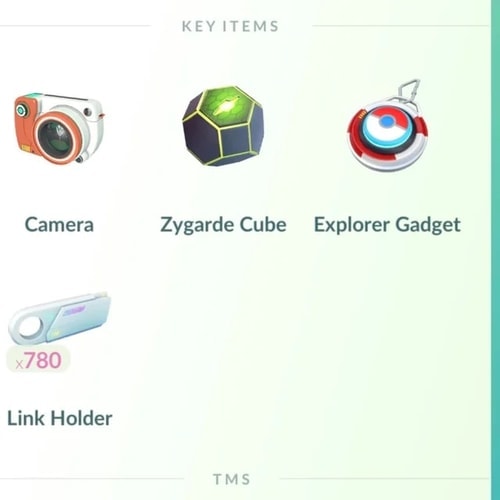
There is one important exception. If a Pokémon GO accessory is paired with the app, the Explorer Gadget icon may not appear on Map View. In that case, disconnect the accessory and open Explorer Gadget from Key Items instead.
Is There a Pokémon GO Explorer Gadget Code?
There is currently no documented Pokémon GO Explorer Gadget code required to unlock the feature.
It is being enabled directly on eligible accounts during the rollout. If the Gadget is missing, searching for promotional codes is unlikely to solve the problem.
How to Use the Explorer Gadget in Pokémon GO
How to Activate Pokémon GO Explorer Gadget
Step 1. Open Pokémon GO.
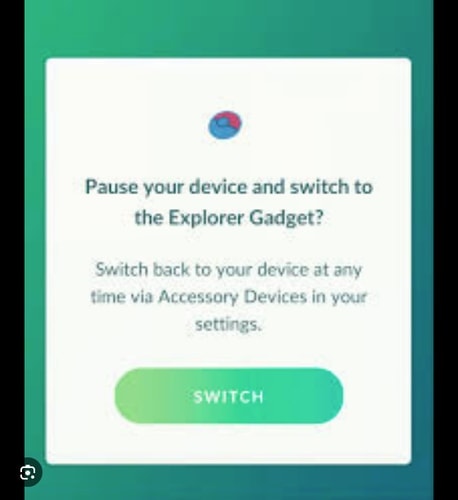
Step 2. Tap the Explorer Gadget icon on Map View, or find it under Item Bag > Key Items.
Step 3. Tap Use.
Step 4. Leave Pokémon GO or move it out of active use.
Step 5. Continue moving with your phone.
Step 6. Open Pokémon GO later to view the activity summary.
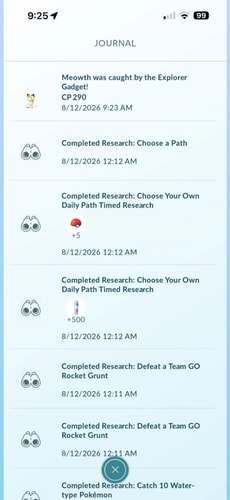
You can also tap the Explorer Gadget icon again to pause or resume it.
This is useful if you temporarily want to stop automatic catching before entering an area with Pokémon you would rather inspect manually.
Does Explorer Gadget Work When Pokémon GO Is Closed?
Yes—this is part of the intended design.
The current official instructions specifically state that Explorer Gadget continues attempting catches and spins while Pokémon GO is closed or not actively being used.
However, some early rollout reports have shown inconsistent performance between phones and accounts. Some Trainers report much better activity with the app left in the background, while others report that fully closing it works as intended.
Because the feature is still being rolled out and adjusted, treat background problems as possible rollout bugs rather than assuming the Explorer Gadget always requires Pokémon GO to remain open.
How Long Does Pokémon GO Explorer Gadget Last?
The Explorer Gadget is not currently documented as having a simple session timer such as 30 minutes or one hour.
Instead, the important restriction is its daily capacity.
Pokémon GO confirms that the Explorer Gadget has a daily limit for Pokémon catches and a separate limit for PokéStop spins. When it reaches the relevant limit, that activity stops for the rest of the day.
Because the feature can be paused and resumed, it is better to think of it as a daily allowance rather than a timed auto-catcher session.
What Is the Pokémon GO Explorer Gadget Daily Limit?
There is currently no single official number that applies to every Trainer.
Recent rollout observations indicate that some accounts receive capacities associated with their Trainer Level, while earlier tests showed varying limits across accounts. The official Help Center currently confirms only that daily limits exist—it does not publish a universal formula.
Does Explorer Gadget Limit Equal Your Trainer Level?
It may on some current accounts, but this should not yet be treated as a guaranteed universal rule.
Recent rollout reports have observed capacities tied to Trainer Level, while earlier testing used several different values.
The safest way to know your limit is to check the value displayed by your own Explorer Gadget.
Which Poké Balls Does Explorer Gadget Use?
Current Explorer Gadget testing indicates that it relies on regular Poké Balls rather than automatically switching to Great Balls or Ultra Balls.
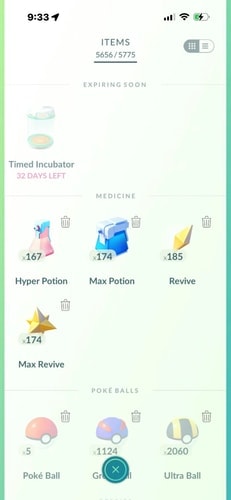
Pokémon GO also provides an unusual safeguard for new Explorer Gadget sessions: if you have no Poké Balls when you activate it, the game can provide some additional Poké Balls to get you started. If those Poké Balls run out before your catch limit is reached, the Explorer Gadget surfaces an alert.
This makes red Poké Ball supply one of the first things to check if your Explorer Gadget suddenly stops catching.
Can Shiny Pokémon Run Away From Explorer Gadget?
Explorer Gadget is an automated catch attempt, not a manual encounter where you can choose the best Ball, Berry, or throwing technique.
Current player reports include cases where desired Pokémon were missed during Explorer Gadget use.
Pokémon GO Explorer Gadget Not Working? Try These Fixes
Because Explorer Gadget is new and still undergoing phased deployment, “not working” can mean several different things.
1 Check Whether Explorer Gadget Has Reached Your Account
The rollout is still officially described as phased.
If another Trainer has the Explorer Gadget and you do not, that alone does not indicate a problem with your account.
2 Make Sure You Are Trainer Level 20 or Higher
Explorer Gadget requires at least Trainer Level 20.
Below Level 20, normal troubleshooting will not unlock it.
3 Disconnect Pokémon GO Plus or Another Accessory
Explorer Gadget cannot be actively used while another accessory device is connected.
If you regularly use Pokémon GO Plus+, disconnect it before activating Explorer Gadget.
4 Check Your Regular Poké Balls
Running out of normal Poké Balls can stop automatic catch attempts.
The Explorer Gadget alerts you if you run out before reaching the daily catch limit.
5 Make Space in Pokémon Storage
A full Pokémon Storage prevents additional successful catches.
Explorer Gadget can display an alert when no storage space remains.
Transfer unwanted Pokémon or expand storage before trying again.
6 Make Space in Your Item Bag
A full Item Bag can interfere with PokéStop item collection.
Explorer Gadget also displays an alert when Item Bag space is unavailable.
7 Check Your Daily Catch and Spin Limits
Your catch allowance and PokéStop allowance are limited each day.
Once a limit has been reached, that part of the Gadget stops for the day.
This can make the Gadget appear broken even though it has simply finished its daily activity.
8 Make Sure Pokémon GO Is Not Actively Open
Explorer Gadget is designed for use when Pokémon GO is closed or not actively being used.
If you are actively playing on Map View, do not expect Explorer Gadget to behave like a second auto catcher running alongside you.
9 Move Around Instead of Staying in One Place
Explorer Gadget is built around exploration.
The official instructions explicitly say that you still need to explore while carrying your device.
Sitting next to several PokéStops and leaving the Gadget enabled does not necessarily produce the same results as walking through areas where new Pokémon and PokéStops continuously enter range.
10 Restart or Update Pokémon GO
If the Gadget meets all requirements but behaves abnormally, restart Pokémon GO and make sure you are running the current official version.
Early rollout reports show inconsistent behavior between accounts and devices, so some problems may disappear as the feature receives server-side or app updates.
Pokémon GO Explorer Gadget vs Pokémon GO Plus+
The arrival of the Explorer Gadget raises an obvious question: do you still need a Pokémon GO Plus+?
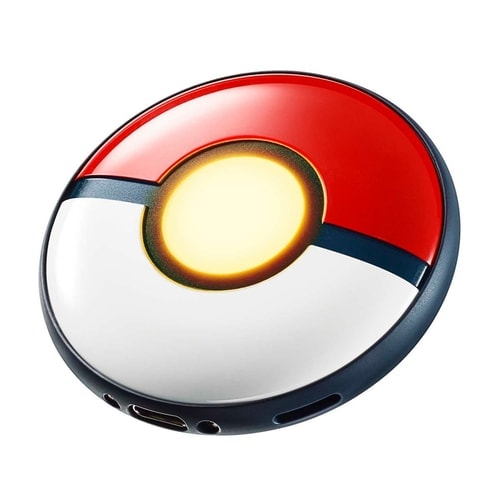
For heavier use, the physical accessory still offers advantages.
| Feature | Explorer Gadget | Pokémon GO Plus+ |
|---|---|---|
| Separate hardware | No | Yes |
| Auto-catch | Yes | Yes |
| Auto-spin PokéStops | Yes | Yes |
| Works away from active gameplay | Yes | Yes |
| Daily Explorer Gadget capacity | Yes | No equivalent Explorer Gadget cap |
| Automatic Great/Ultra Ball use | Not currently documented | No; auto-throw uses regular Poké Balls |
| Great/Ultra Ball button throw | No | Yes |
| Requires Bluetooth pairing | No separate accessory | Yes |
The Pokémon GO Plus+ can automatically throw regular Poké Balls and automatically spin PokéStops. It also allows Great Balls or Ultra Balls to be selected for button-throw, although auto-throw itself still uses regular Poké Balls.
Physical accessories also allow gameplay while the phone is asleep or Pokémon GO runs in the background.
Does Explorer Gadget Replace Pokémon GO Plus+?
For someone who mainly wants a convenient way to collect extra Pokémon and items during a normal walk, Explorer Gadget may cover enough of the basic use case that buying hardware is unnecessary.
A dedicated Pokémon GO Plus+ still makes more sense for Trainers who use auto-catching heavily, want accessory-specific functionality, or regularly exceed what the Explorer Gadget's daily limits allow.
How to Get More From Pokémon GO Explorer Gadget While Exploring
Explorer Gadget automates interactions, but it does not create Pokémon or PokéStops around you.
Its usefulness still depends heavily on where your character is and how you move through the map. An area filled with PokéStops and spawn points gives the Gadget more opportunities than a location with little nearby game activity.
For Trainers who already use location tools for location-based games, this creates a natural distinction:
Explorer Gadget handles eligible catches and spins; a location changer controls the location and movement itself.
Explore Pokémon GO Locations With PoKeep Location Changer

PoKeep Location Changer supports Pokémon GO and provides a 360° GPS joystick, adjustable movement speed, and route-based movement. It also includes a cooldown timer intended to help users keep track of waiting periods between location changes.


Instead of remaining around one static position, PoKeep can simulate movement in several ways:
- 360° Joystick: manually move around nearby streets, PokéStops, and spawn areas.

- Two-Point Movement: create a route between two locations and simulate movement along it.
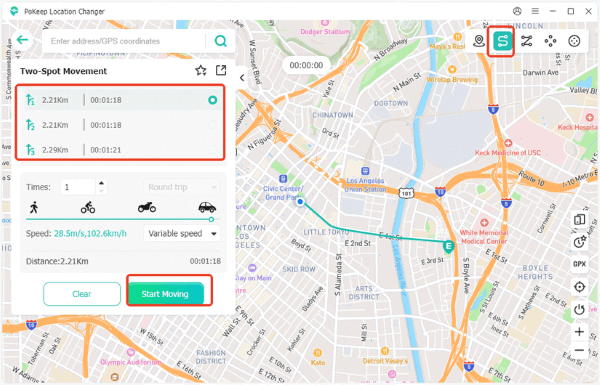
- Multi-Point Movement: build a longer path containing multiple stops or target areas.

Build Pokémon GO Routes Around PokéStops
A useful setup is to create a walking route through an area containing multiple PokéStops rather than repeatedly switching between isolated coordinates.
PoKeep supports saved routes, location history, and GPX route imports, making it possible to reuse routes that pass through areas you want to explore again.
Explorer Gadget can then handle eligible background interactions as your in-game location moves through those areas.
Pokémon GO Explorer Gadget Release and Datamine History
Explorer Gadget first attracted attention before its wider release because references to a virtual auto-catcher were discovered in Pokémon GO's game data in March 2026.
Those early files described a feature capable of automatically throwing Poké Balls and spinning PokéStops while Trainers explored. At the time, details about pricing, subscriptions, passes, and release methods were largely speculation because the feature had not been officially released.
Explorer Gadget has an official Pokémon GO Help Center page, real usage instructions, account requirements, daily limits, and an active phased rollout.
For current information, treat older datamine details as release history rather than documentation of how the feature works today.
Pokémon GO Explorer Gadget FAQ
Is the Pokémon GO Explorer Gadget Free?
There is currently no separate hardware purchase required to use Explorer Gadget. It appears directly as an in-game feature on eligible accounts during the rollout.
What Level Do You Need for Explorer Gadget?
You must be at least Trainer Level 20.
Why Did My Pokémon GO Explorer Gadget Disappear?
Explorer Gadget is still officially in phased rollout, so availability and behavior may continue changing while deployment is underway.
First check Key Items, disconnect any paired accessory, and restart Pokémon GO. If the feature itself has been removed from an otherwise eligible account, it may be related to the ongoing rollout rather than something you changed.
Can Explorer Gadget Use Great Balls or Ultra Balls?
Current Explorer Gadget testing indicates normal Poké Balls are used.
This differs from Pokémon GO Plus+, where Great Balls and Ultra Balls can be selected for manual button-throw, while its automatic throw mode still uses regular Poké Balls.
Does Explorer Gadget Work With Daily Adventure Incense?
Pokémon GO's current Explorer Gadget documentation does not explain in detail how Daily Adventure Incense spawns are handled.
Does Explorer Gadget Work While Standing Still?
It may interact with available nearby activity, but it is designed around exploration rather than stationary farming.
Pokémon GO specifically says that Trainers should continue exploring with their device for Explorer Gadget to operate fully.
Can I Use Explorer Gadget and Pokémon GO Plus+ at the Same Time?
Not while the accessory is actively connected.
Explorer Gadget requires no accessory device to be actively connected when it is being used.
Is the Pokémon GO Explorer Gadget Worth Using?
For most eligible Trainers, there is little reason not to experiment with the Explorer Gadget during ordinary walks or travel. It adds passive Pokémon catches and PokéStop spins without requiring a separate auto-catcher, and you can pause it whenever you want more control over encounters.
Its limitations are equally important. Daily capacity prevents unlimited farming, automated catches sacrifice the control of manual throws, new Pokédex entries may be skipped, and rollout behavior is still changing.
The best way to use the Pokémon GO Explorer Gadget is therefore as a convenience feature rather than a replacement for active gameplay: let it handle routine catches and PokéStop spins while exploring, then switch back to manual play when a Pokémon is valuable enough to deserve your full attention.
 Related Articles


 Leave Your Comment