 By
By 

For many Pokémon GO players, the appeal of catching region-exclusive Pokémon or participating in international raids is incredibly strong. This often leads players to search for a reliable "pokemon go spoofer" to help them travel the virtual globe without leaving their homes. If you have been looking into location-altering tools recently, you have likely come across the name Gospoofer. But is it actually a safe option for your account and your device?
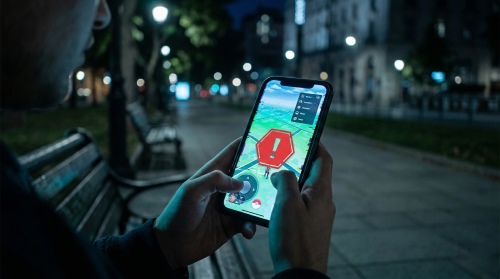
In this comprehensive guide, we will dive deep into the reality behind the Gospoofer hype. We will explore whether these free mobile tools are safe to use with Niantic's strict anti-cheat updates, and we will look at the most reliable alternatives available today.
What is Gospoofer?
Gospoofer claims to be a premium, free application designed for both iOS and Android devices that allows users to manipulate their GPS coordinates. Advertisements and promotional videos often boast about features like an on-screen joystick, instant teleportation, and automatic walking routes. Because it promises high-end features at no cost, many players actively search for a "gospoofer apk download" or an iOS equivalent to gain a quick advantage in location-based games.
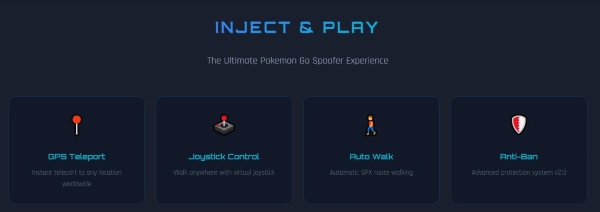
You may discover this tool through aggressive marketing on YouTube or through various social media channels. You will frequently see comments and Reddit threads filled with users asking, "is gospoofer com safe?" because the installation process often feels highly suspicious. Instead of a straightforward download link, users are usually redirected through multiple questionable websites.
Is Gospoofer.com Safe?
When investigating whether a tool is legitimate, the short answer for this specific website is a resounding no. The site relies heavily on the classic "human verification" trap, which is a massive red flag in the gaming community. When you attempt to complete a "gospoofer apk download", you are usually forced to complete endless surveys, download unrelated applications, or input personal information just to unlock the file.
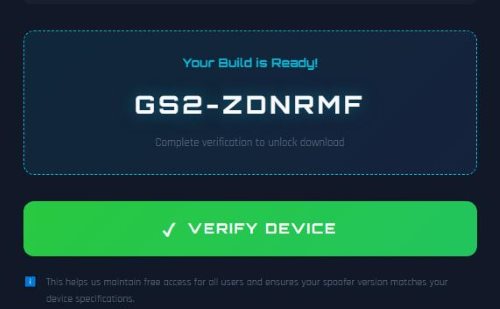
Unfortunately, after completing these frustrating loops, players rarely receive a working application. Instead, these verification sites generate ad revenue for the creators while putting your device at severe risk of malware and data theft. Is gospoofer legit? The overwhelming consensus from the spoofing community is that it operates primarily as a deceptive survey scam.
Protecting your device and your personal data should always come before catching a rare Pokémon.
Why Free iOS/Android Modded Spoofers Cause Pokémon GO Bans
Even if you manage to find a working, free mobile "go spoofer", you are putting your Pokémon GO account directly in the crosshairs of Niantic's anti-cheat system. In 2026, the developers have drastically improved their ability to detect modified game clients. When you download a third-party, cracked version of the game directly to your phone, it leaves obvious digital footprints that the official servers instantly recognize.
Niantic actively enforces a strict three-strike policy: a 7-day shadow ban, a 30-day temporary suspension, and finally, a permanent account termination. Mobile-only spoofing apps are currently the leading cause of these bans.
- Altered app signatures are instantly flagged by Niantic's servers upon login.
- Background processes from cracked apps trigger immediate security warnings.
3 Safe Alternatives to Gospoofer for Pokémon GO
Since heavily advertised mobile apps carry tremendous risks, players need legitimately safe ways to enjoy the game. If you want to expand your gameplay without risking a permanent ban, there are much better paths to take than hunting for a "gospoofer mod apk".
Buying Official Remote Raid Passes

The absolute safest way to catch Pokémon from around the world is to play entirely within the rules. Niantic offers Remote Raid Passes, which allow you to join raid battles globally as long as you have an invitation from a friend. While this does cost in-game currency, it carries zero risk of an account ban.
Using Secondary/Alt Accounts
If you are determined to test out a risky "pokemon gospoofer" on your mobile device, never use your main account. Create a secondary, alternative account specifically for testing purposes. This way, when the inevitable ban wave occurs, your years of hard work and your prized Pokémon collection remain completely untouched.
Utilizing System-Level Desktop Spoofers
This is the current gold standard for players in 2026 who want to alter their location safely. By connecting your smartphone to a computer, you can use desktop software to change your device's global GPS coordinates at the system level. This method allows you to use the official, unmodified Pokémon GO app downloaded straight from the App Store or Google Play Store.
The Safest Alternative to Gospoofer
If you want to avoid the scams associated with "gospoofer com" entirely, upgrading to a professional desktop tool is the logical solution. PoKeep Location Changer is a highly trusted utility that safely changes your GPS on iPhone and Android without requiring a jailbreak or root. Because it alters the location at the device level, you interact with the official game app, dramatically reducing your chances of triggering anti-cheat alarms.


PoKeep allows iOS users to connect via Bluetooth, meaning you can spoof safely without ever downloading a cracked or modified application to your phone. Once connected, you can utilize the 360° GPS Joystick to simulate realistic movement, allowing you to navigate in any direction with complete freedom. It removes the anxiety of sudden bans while providing all the premium features you need.
How to Change Your Location Safely
Using a desktop tethering tool is straightforward and requires no technical expertise.
Step 1. Download & Install. Download PoKeep to your computer using the official links and follow the basic prompts to install the program.

Step 2. Connect Your Device. Connect your iPhone or Android device to your computer via a standard USB cable or through your local WiFi network.

Step 3. Move Your Location. Select your desired movement mode, pick a destination anywhere on the map, and click "Start modifying" to change your GPS location instantly.
Crucial Tips for Avoiding Soft Bans
Even when utilizing the safest system-level desktop spoofer, you must still obey the physical limits of the game to stay off the radar. If you catch a Pokémon in New York and then attempt to spin a PokéStop in Tokyo three minutes later, the game will recognize this impossible travel time and issue a soft ban. During a soft ban, Pokémon will instantly flee, and PokéStops will not yield items.

To prevent this, you must strictly follow cooldown rules, which require you to wait a specific amount of time based on the distance you teleported. Fortunately, PoKeep includes a built-in cooldown timer calculator that actively prevents soft bans by calculating these safe waiting times between your in-game actions. Always consult this timer before throwing a Poké Ball at your new destination.
Patience is the ultimate key to keeping your account safe while spoofing.
FAQs about Gospoofer
Is Gospoofer actually free to download and use?
While advertisements strongly claim that Gospoofer is a completely free application, the reality is quite different for users attempting to install it. The download process almost always forces you through a frustrating maze of "human verification" steps. You will typically be asked to complete endless online surveys, sign up for paid third-party subscriptions, or download unrelated sponsored apps.
Ultimately, you pay with your personal data and time. Users rarely receive a functional spoofing tool in return for their efforts.
Does Gospoofer work on the latest iOS and Android updates?
There is no reliable evidence to suggest that a Gospoofer mod apk functions properly on modern smartphone operating systems. Because Niantic and device manufacturers constantly patch security vulnerabilities, modified mobile apps break frequently and require constant, risky updates.
If you need a tool that genuinely supports the latest firmware, you must look toward desktop-based tethering solutions. PoKeep Location Changer, for instance, is fully updated and compatible with the latest iOS 27 and Android 17 environments.
What should I do if I accidentally installed a Gospoofer apk or profile?
If you fell for a survey trap and installed a suspicious file from the Gospoofer website, you need to secure your smartphone immediately. Malicious profiles can compromise your privacy, steal login credentials, and track your real-world data in the background.
Take these immediate actions to protect your device:
- Delete the application and completely remove any unrecognized configuration profiles from your phone's general settings.
- Run a comprehensive security scan using a trusted mobile antivirus or anti-malware application.
- Change the passwords for your Pokémon GO account, Apple ID, or Google account.
 Related Articles




 Leave Your Comment